
The December 2024 update for Oracle Cloud EPM included a new feature allowing Action Menus to be added to ad hoc. Previously, Action Menus were only applicable to forms. I have not thought through all the different use cases where this will be helpful. But I do believe it is a useful feature and set up is straightforward.
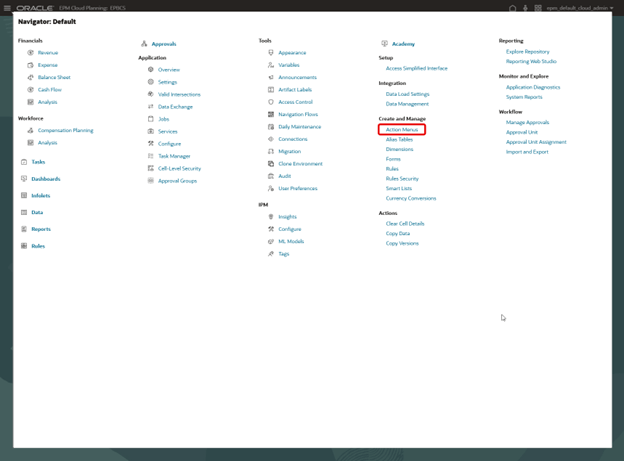
In the Planning application, from Navigator go to Action Menus.
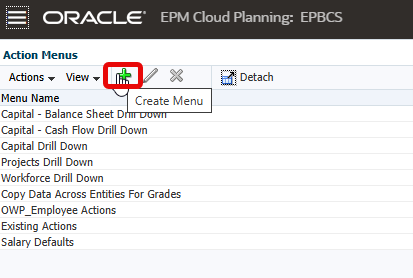
Select Create Menu.
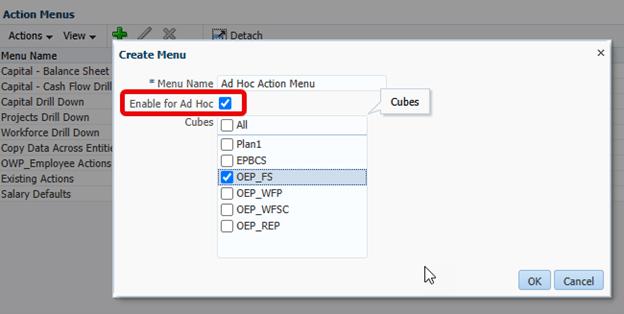
Name the menu and select Enable for Ad Hoc. Also select the cubes for which the menu will be available.
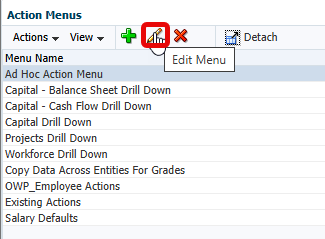
Select the new Action Menu created and click the edit pencil.
Click Add Child.
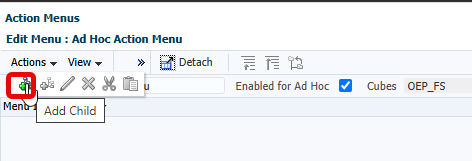
Add a name for the task and other selections.
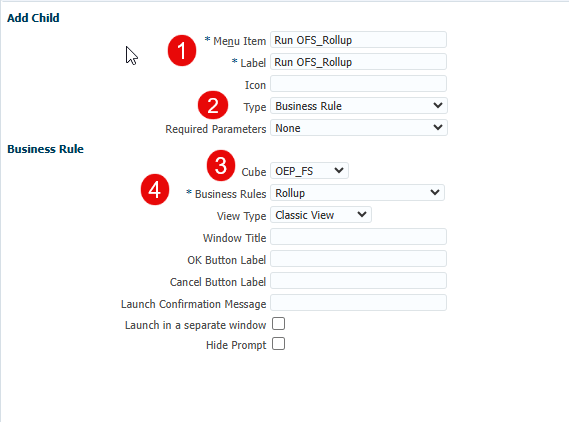
- Name the Menu Item and Label
- Select Type of task to be business rule
- Select the Cube for the business rule
- Select the business rule
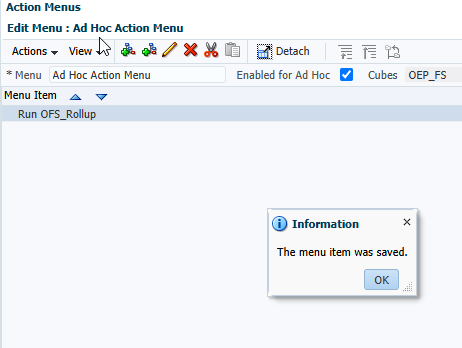
Save the item. Additional items can be added to the menu as needed. Notice that the field Enabled for Ad Hoc is checked and the cube is OEP_FS.
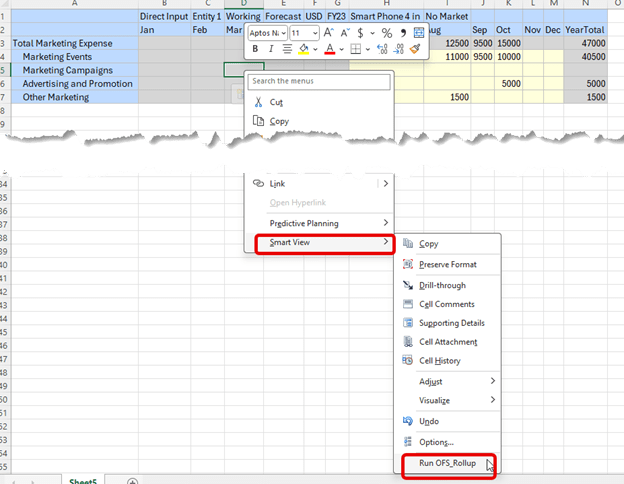
We can test the new Action Menu by creating a simple ad hoc.

Right click anywhere in the grid, select Smart View and the newly created menu item Run OFS_Rollup is available. Click the item.
The expected prompt window opens to launch the business rule.
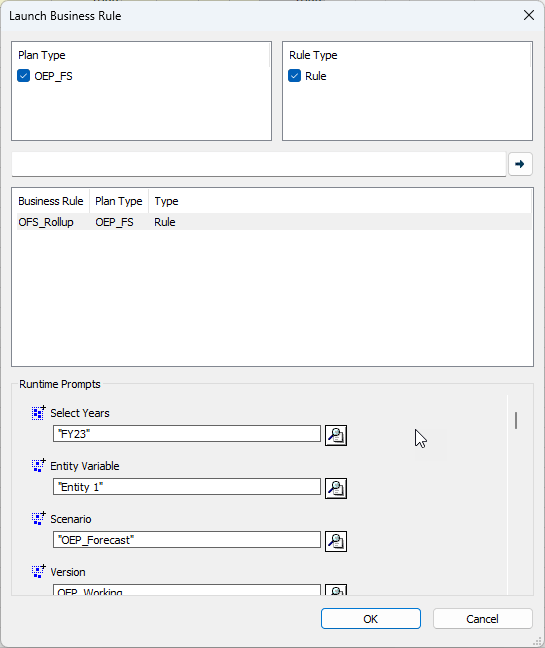
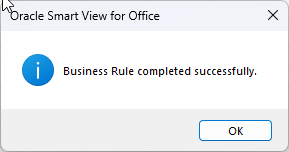
Success!
This functionality can be added to existing Action Menus easily. Open the existing menu and check the box to Enable for Ad Hoc.
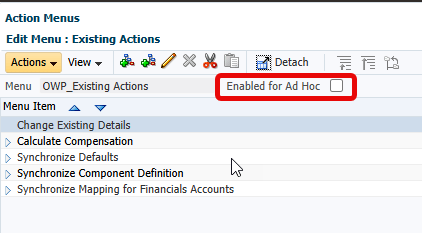
Then select the appropriate cubes.

As I stated at the beginning, I have not come up with use cases yet, but this is a good feature. It is easy to set up whether on new menu items or existing.
As always, happy EPM’ng!
P.S. Oracle documentation can be found here.
 Random EPM Notes
If you cofigure to run a Groovy Rule from this Adhoc Context Menu, you can also see that the context of the selected cell is passed to the rule. That is very useful.
LikeLiked by 1 person