
I discovered something interesting while skimming through the Oracle EPM user documentation. Tucked within the section about forms and working with data is a page about entering data for suppressed rows. This may not be news to anyone other than me, I just never came across this before. In the past when I had a form with suppressed rows and I needed to add a row for entering data, I would put in a hidden column like BegBalance with a rule to populate the intersection of the member from the row I wanted to add. I even wrote about it a few years ago.
It took a little bit of playing around to figure out how to make it work, but this may be a viable process depending on your form layout and which rows are being suppressed.
To test how this worked, I created a basic form with periods in the columns and entities and accounts in the rows.
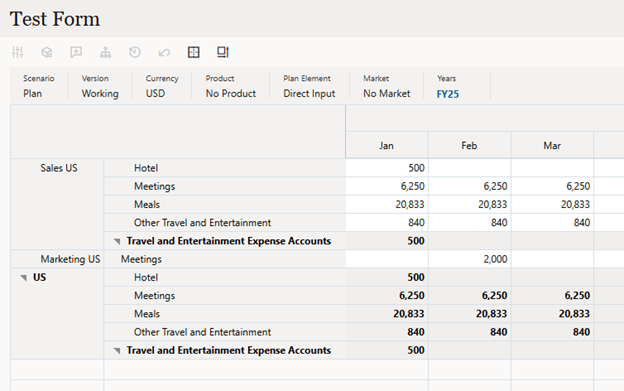
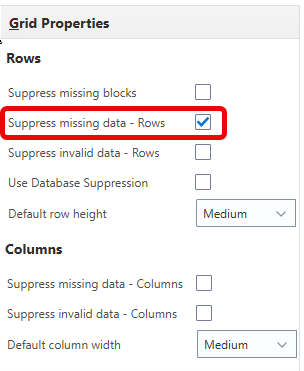
The form was initially set up with rows suppressed for missing data.
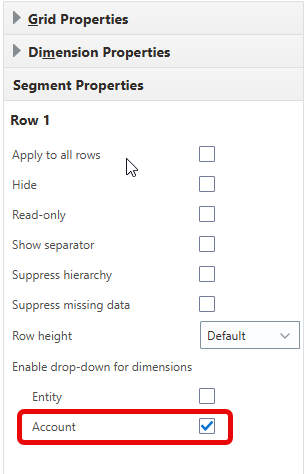
Then for the Segment Properties of row 1, I enabled drop-down for Account.
Enabling this feature adds a drop-down selection to the account rows in the form.
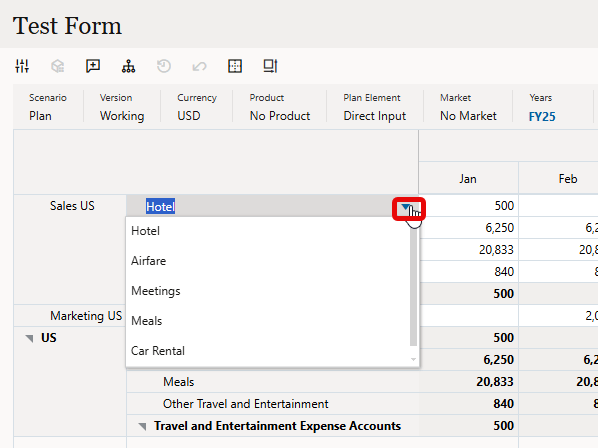
Selecting an account that is not currently displayed then looks like this.
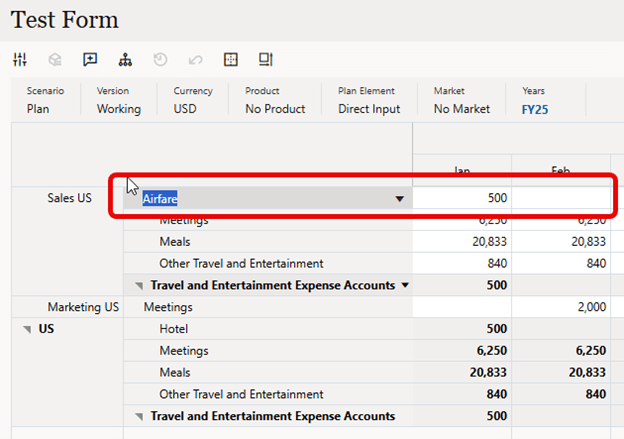
The row displays member Airfare, but the data is still displayed from the previous account Hotel. This caused me some confusion as I was expecting a new row to be inserted. I eventually figured out that by adding or changing data in any period, the new row would then appear after Save.

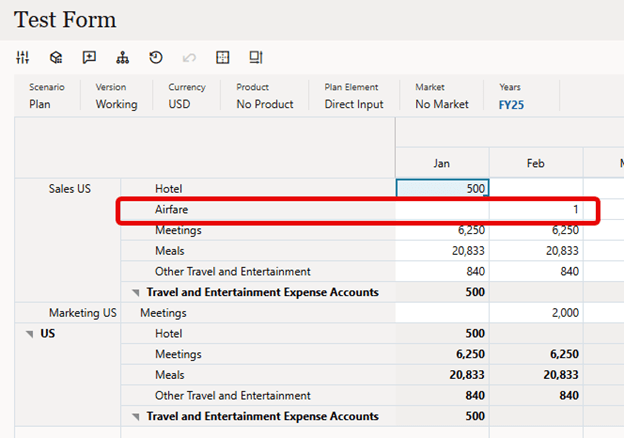
Now with the new row displaying, data can be entered as needed to other periods. If all the row data is cleared, the row becomes hidden again.
As I said initially, this may not be news to anyone but me. However, I think it’s a cool feature and depending on your needs it could be a good addition to your forms. This will work in both web and Smart View. And I should point out that Flex Forms can accomplish the same thing and, in many cases, will be the better solution.
As always, happy EPM’ng!
 Random EPM Notes