
I have been struggling with how to write about the generative AI capabilities that are now included in Oracle Narrative Reporting. I have read through the documentation multiple times, played around with sample reports provided in the application, googled for information about it, but I expected it to be challenging to condense into an easy to follow set of steps to configure and use.
These are the basic steps.
- Enable the Narrative Reporting environment for Generative AI
- Create a report, add Conditional Text to the report and select type of GenAI use case
Enable the Narrative Reporting Environment for Generative AI
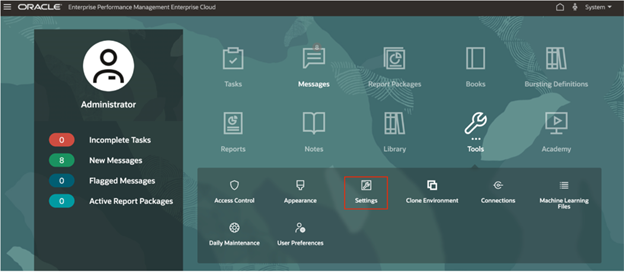
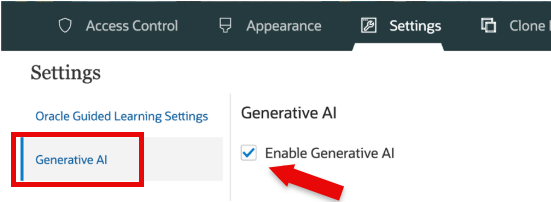
This is the easiest step. Go into Settings, select Generative AI and click Enable Generative AI.
Create Report
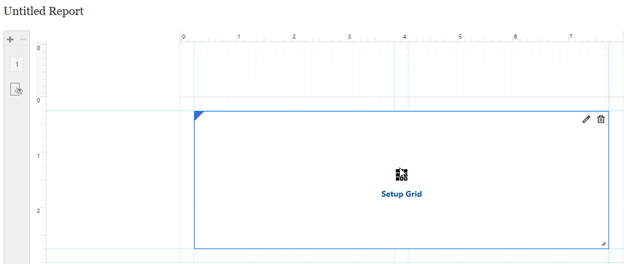
For our testing, we will be creating a report for comparative analysis. Create a new report and add a data grid.
Place accounts in the rows and periods in the columns.
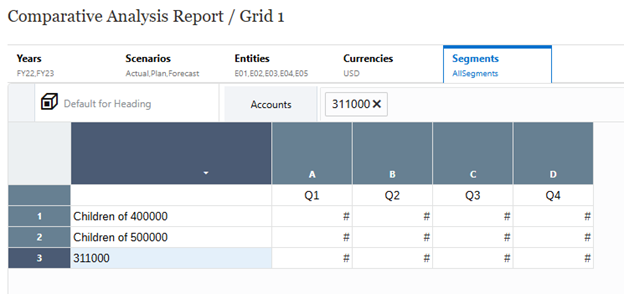
Select the cells for the row to use in the analysis and go to Conditional Properties.
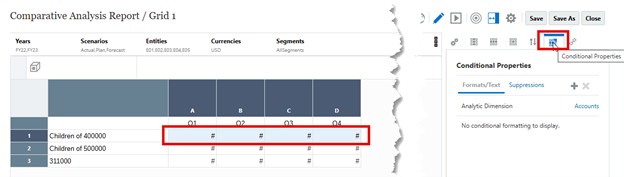
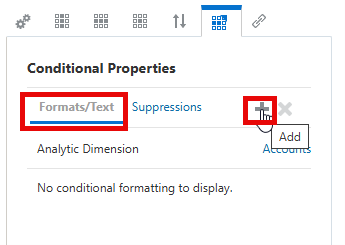
Add Formats/Text.
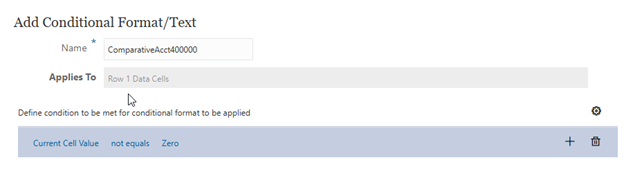
Define the condition as “Current Cell Value” “Not Equals” “Zero”.
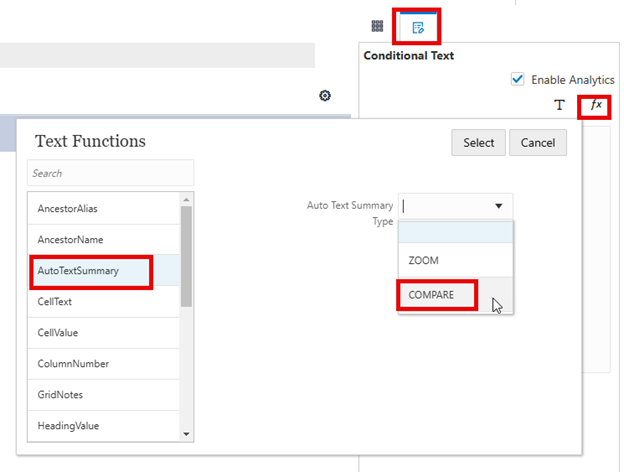
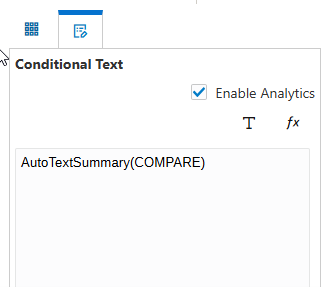
Select Conditional Text and add function (Fx) AutoTextSummary(COMPARE). Note: It is not necessary to Enable Analytics for comparative analysis.
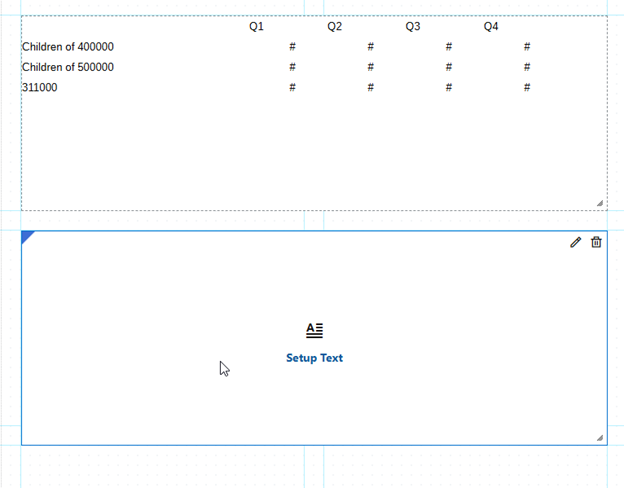
Go back to layout and add a Text Box.
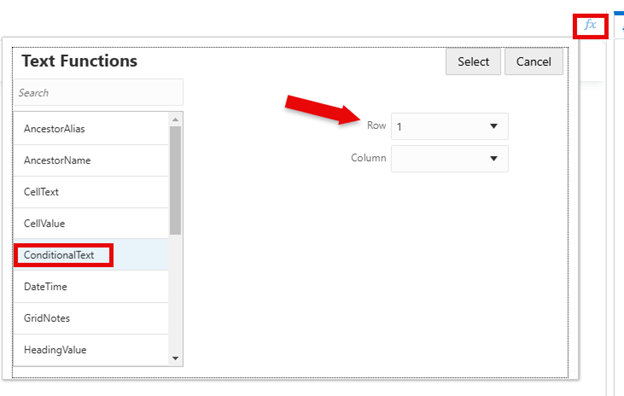
In the Text Box, add function (Fx) ConditionalText with selection of the row in the data grid to reference.
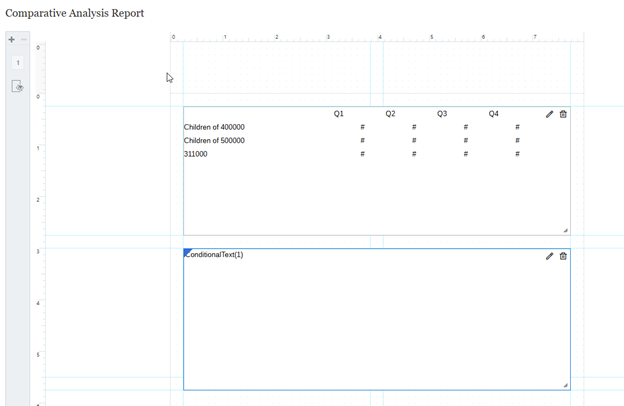
The layout should look like this.
Save report and run it.
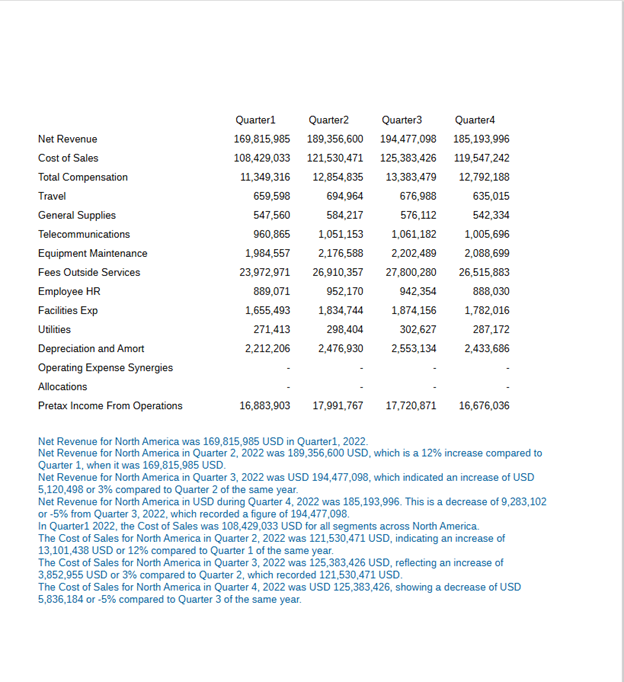
I gotta say, this was easier than I anticipated. Without any modifications to the GenAI Property files, a comparative analysis was generated. It may not be very useful at this point, more refinement of the rows and columns is needed, and modifications to the GenAI Property file would help to refine the wording of the analysis. Still, this is very cool. And the analysis is a hyperlink to another report with more details.
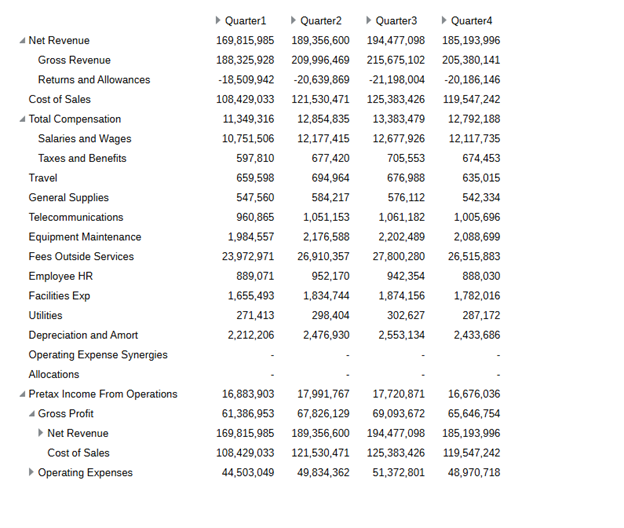
So far, I have only tested this with one of the three use cases, “Do a Comparative Analysis”. I expect the other two, “Describe Exceptions” and “Describe the Causality for Exceptions” to be similar in set up, likely with changes to the data grid layout.
A couple things to keep in mind, the narrative can change slightly when the report is rerun, and the GenAI Property files are difficult to update. Regarding the narrative changing each time the report is run, this is because the Oracle AI service is queried each time and it is constantly learning as more information becomes available. As to the GenAI Property files, to me they are hard to follow and know how to update, others may have no concerns. I suggest starting with the defaults and doing some experimentation with changes.
From what I have seen so far, this is a great addition to Narrative Reporting. Oracle has made a long-term commitment to AI and the functionality will continue to grow. What we have access to today will change and improve rapidly.
As always, happy EPM’ng!
P.S. As this may be my last writing for the year, I want to wish all of you who take the time to follow me and read my ramblings a very happy holiday season.


Thanks for this. Really helpful and easy to understand. Merry Christmas and Happy new year.
LikeLike
Hi, can you please come up with different possible options to extract dynamically calculated data from FCCS. Thanks
LikeLike
I’ll check with some colleagues, I don’t have anything in mind right now.
LikeLike