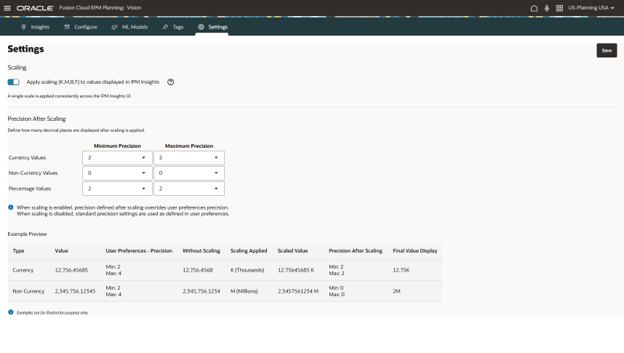

I was poking around my testing environment today and came across a tab in IPM for Settings. I thought that was odd, I didn’t remember seeing anything in the monthly releases about Settings in IPM.
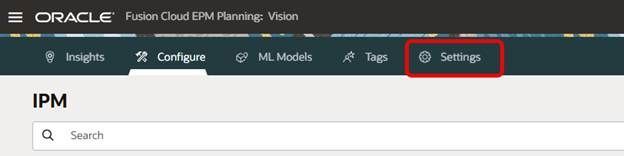
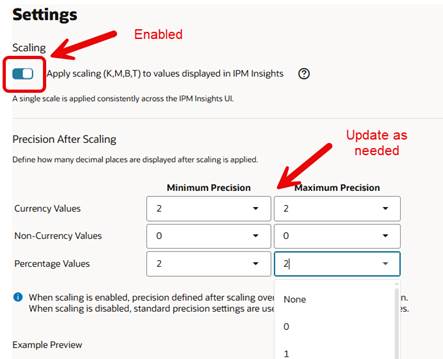
I clicked on it and found this page.
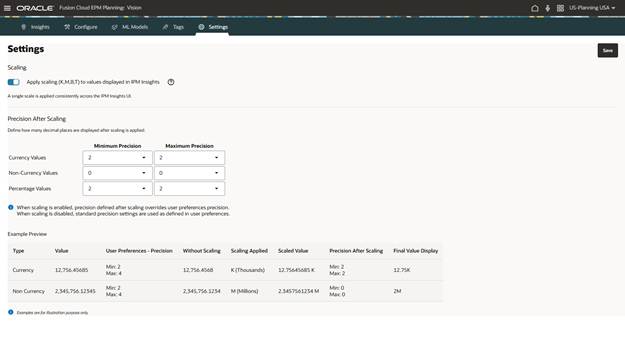
I went back through the monthly updates and found it in the June (26.06) release. I don’t know how, but I totally missed it. Scaling and precision can be set for all IPM Insights in one place. The default values for precision come from User Preferences but can be changed to what you want to see after scaling is enabled.
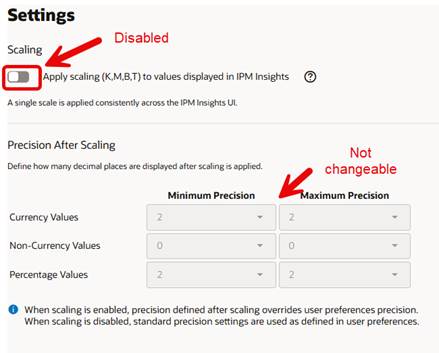
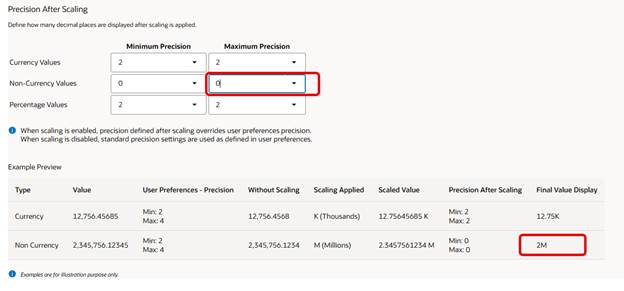
When scaling is enabled, the precision settings can be previewed. For example, when Non-Currency is set to 0, millions look like this.
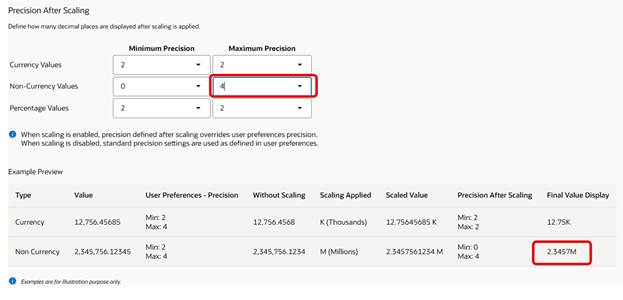
When changed to 4, it looks like this.
That’s cool, but I think the real power of these settings come into play when used with a UDA. In the account dimension, apply one of the following UDAs to the appropriate accounts that you have in Insights.
- HSP_DISPLAY_SCALE_K
- HSP_DISPLAY_SCALE_M
- HSP_DISPLAY_SCALE_B
- HSP_DISPLAY_SCALE_T
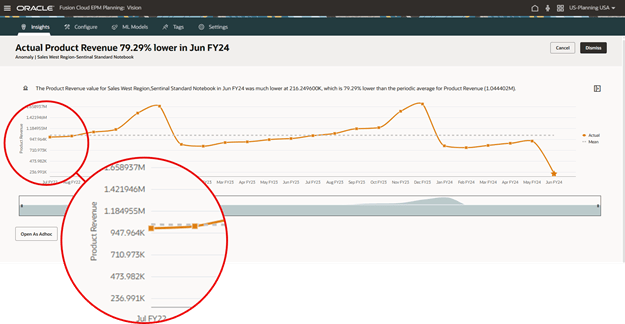
On the Product Revenue account, I want to use the UDA for thousands scaling. Here is what one of the Insights looked like before applying the thousands scale.
And here it is after applying the thousands scale.
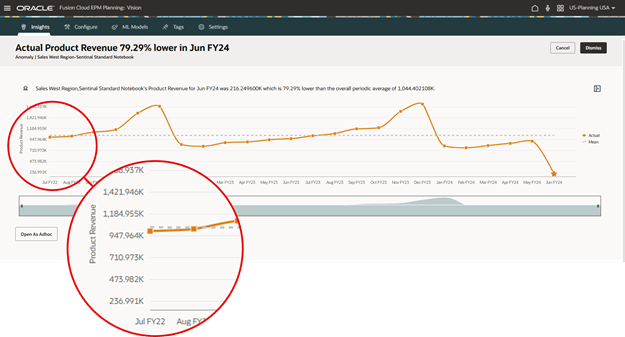
Notice how the before shows both thousands and millions, but the after shows only thousands. Maybe you like seeing both, but if you want to limit the scaling to one it is easy to manage.
This is just one quick example of how the scaling works with a UDA. Some things to keep in mind: the UDA is only applicable to the account dimension; scaling and precision settings are not applied in ad hoc grids; Insights must be rerun to have changes in the settings reflected in narrative summaries.
Check out the June document for more information.
As always, happy EPM’ng!

