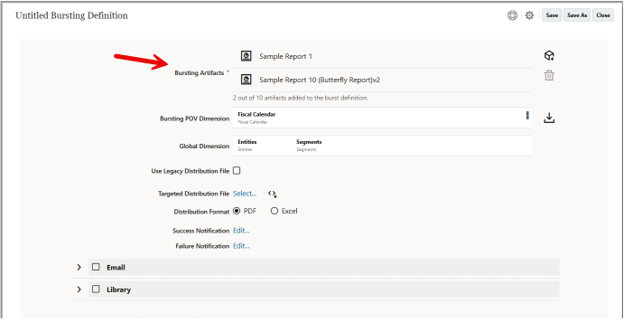

In the October 2026 EPM update, bursting in Narrative Reporting was enhanced to allow multiple artifacts to be in the bursting definition. I noted in my monthly summary that I would be testing it out as I updated my NR presentation. I got to do that this past weekend.
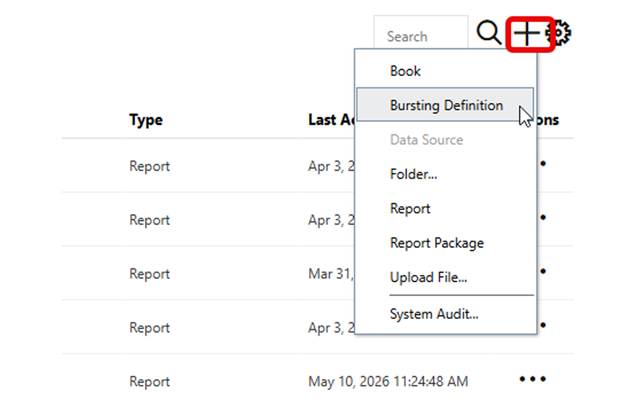
The process starts the same, add a Bursting Definition.
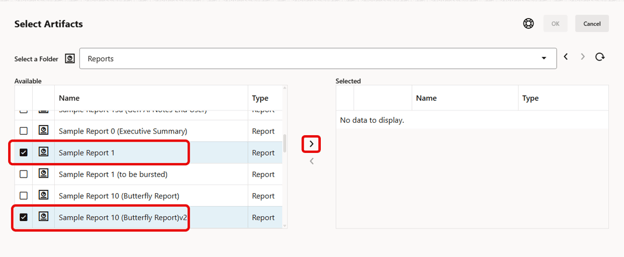
Then instead of selecting only one artifact, select up to ten.
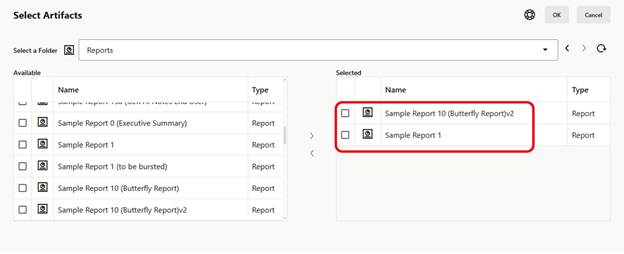
The selected artifacts are listed. Update the Bursting POV Dimension and Global Dimension as needed. This is the same as it was with one artifact, now it reflects what is available based on the multiple artifacts selected.
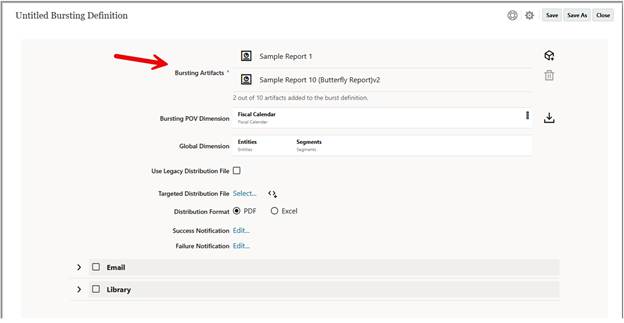

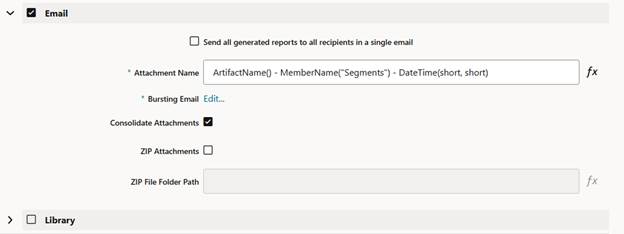
Continue with the configuration using a Targeted Distribution File if needed and then the Email settings.
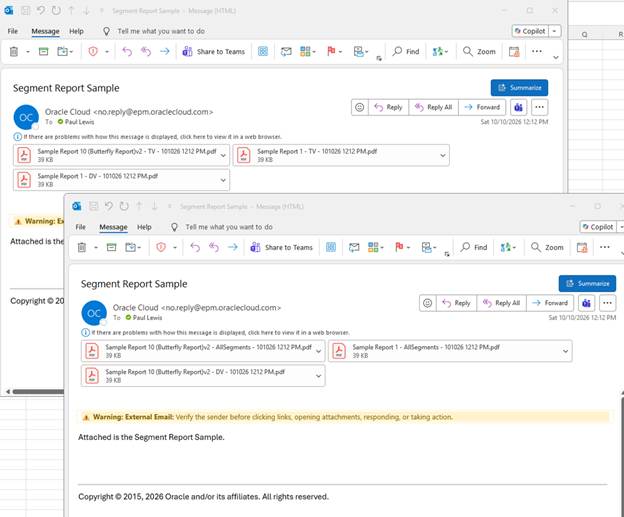
Once executed, the emails now include the multiple artifacts. In our example, we included two different types of reports. The distribution was broken into two emails to avoid size limitations on the attachments.
Some things I noticed while testing:
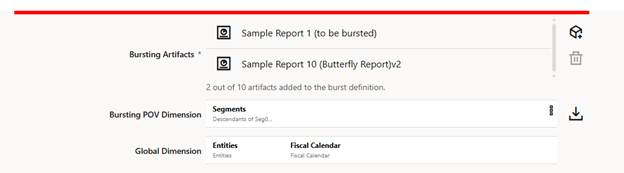
- Consider the commonality of the reports you want to include in the Bursting Definition. With multiple artifacts, dimensions are consolidated into a single list. The same query configuration applies to all selected artifacts. The first reports I tested did not get distributed the way I expected since one of them did not have the right layout for the Segment members I wanted to burst.
- Consider whether there is data in the members selected. When I first set up Segments, I used Descendants and got a warning message.

- Be descriptive for the Attachment Name to make it clear to the recipient which reports they are getting. This should be happening with a single artifact being bursted as well, but it’s even more important with multiple.

Overall, bursting multiple artifacts is a useful enhancement. When reports (or books) have commonality in POV members, this will be easier to set up one Bursting Definition instead of many.
As always, happy EPM’ng!

